-
Tiny tunes app android
Tiny Tunes is a free music player and downloader app for Android devices. It allows you to search and download songs from the internet and create playlists to play your music. You can also stream music online and listen to radio stations. The app has a simple and easy-to-use interface, and it supports various audio formats such as MP3, WAV, and M4A. You can use Tiny Tunes to discover new music and artists, or to listen to your favorite songs on the go.
Where download tiny tunes app for android

You can download Tiny Tunes for Android from the Google Play Store. Here are the steps:
- Open the Google Play Store app on your Android device.
- In the search bar, type “Tiny Tunes” and press Enter.
- Select the app from the search results.
- Tap the “Install” button to begin the download process.
- Wait for the download and installation process to complete.
- Once the app is installed, you can launch it from the app drawer on your device.
- In your browser, download the TinyTunes .APK file here: TinyTunes 1.16.2 APK Download
Alternatively, you can also download the Tiny Tunes APK file from a third-party website and install it manually on your device. However, it’s important to be careful when downloading apps from external sources, as they may contain malware or other malicious software.
-
The Psychology of Digital Habits: Why We Seek Both Stimulation and Silence

In today’s fast-paced digital landscape, our relationship with technology is becoming increasingly paradoxical. On one hand, we crave stimulation, progress bars, and small dopamine hits that make our daily tasks feel exciting. On the other hand, we long for silence, simplicity, and mindful disconnection from the constant flood of notifications.
Why do we, as digital citizens, seek both playfulness and peace in our apps? To answer this, we need to take a closer look at the psychology of habits, motivation, and mental balance.
The Dopamine Drive: Why We Love Playful Digital Tools 🎮
Every time we complete a task and get rewarded—whether it’s a badge, a progress bar, or even a simple congratulatory sound—our brain releases dopamine. This neurotransmitter is the same chemical that fuels ou when playing games or achieving milestones.
Gamified apps tap into this natural reward system. They transform boring routines into quests and achievements, making productivity feel less like an obligation and more like an adventure. For example, habit trackers that allow you to “level up” after completing your chores turn discipline into something fun and rewarding.
If you’re curious about how this works in real life, check out this article: Productivity for Gamers: Apps That Turn Daily Tasks Into Quests. It dives deeper into the world of gamified productivity and explains why so many users are embracing this approach.
The Overload Effect: Why Too Much Stimulation Backfires ⚡
But there’s a catch. The same dopamine-driven system that motivates us can also overwhelm us. If everything in our digital environment is a quest, a challenge, or a colorful notification, we eventually start to feel exhausted.
Psychologists call this cognitive overload —the state in which our brain simply cannot process any more stimuli. Instead of motivating us, constant digital excitement turns into digital fatigue. This is why some people abandon gamified apps after a few weeks: the “fun” becomes another form of pressure.
The Need for Silence: Why Minimalist Apps Appeal to Us 🌱
Here enters the other side of the spectrum: digital minimalism. Instead of bombarding us with colors, sounds, and points, minimalist apps strip away distractions. Their goal is not to push us to do more, but to help us be present with less.
For instance, minimalist meditation apps use soft backgrounds, simple timers, and zero notifications. They don’t ask you to “level up.” Instead, they ask you to breathe. This kind of experience provides a mental detox from the overstimulation of daily life.
If you want to explore this approach further, I recommend reading this article: The Rise of Digital Minimalism Apps: Do They Really Help Us Disconnect?. It examines how these apps can help us reclaim peace of mind in a noisy digital world.
The Psychology of Balance ⚖️
So, why do we constantly oscillate between stimulation and silence? The answer lies in human psychology:
• We are motivated by progress. Small wins keep us moving forward.
• We are exhausted by excess. When progress feels like pressure, we crave rest.
• We need variety. Just like we need both excitement and relaxation in real life, we need both playfulness and simplicity in digital life.
This means that it’s not about choosing either gamification or minimalism. It’s about learning when to use each approach. A gamified to-do list might be perfect for powering through your Monday, but a minimalist meditation app might be exactly what you need before bed.
Toward a More Mindful Digital Future 🚀
The future of digital tools will likely merge both worlds. Imagine apps that motivate you with playful elements when you need a boost, but also know when to step back and encourage silence.
Such a design would respect the natural rhythms of our psychology: periods of focus and effort balanced with moments of calm and restoration.
Until then, the key is awareness. Pay attention to how different apps make you feel: energized or exhausted, peaceful or pressured. By consciously choosing when to embrace stimulation and when to embrace silence, you can turn your digital habits into a tool for balance rather than burnout.
Final Thoughts ✨
Our relationship with digital tools is deeply psychological. We seek stimulation because our brains are wired to enjoy progress and reward. We seek silence because overstimulation leaves us drained. Recognizing this duality allows us to design better digital habits—and to use apps more intentionally.
At the end of the day, productivity and peace are not enemies. They are partners in the dance of our digital lives. The challenge is simply learning when to play—and when to pause. -
Productivity for Gamers: Apps That Turn Daily Tasks Into Quests 🎮✨
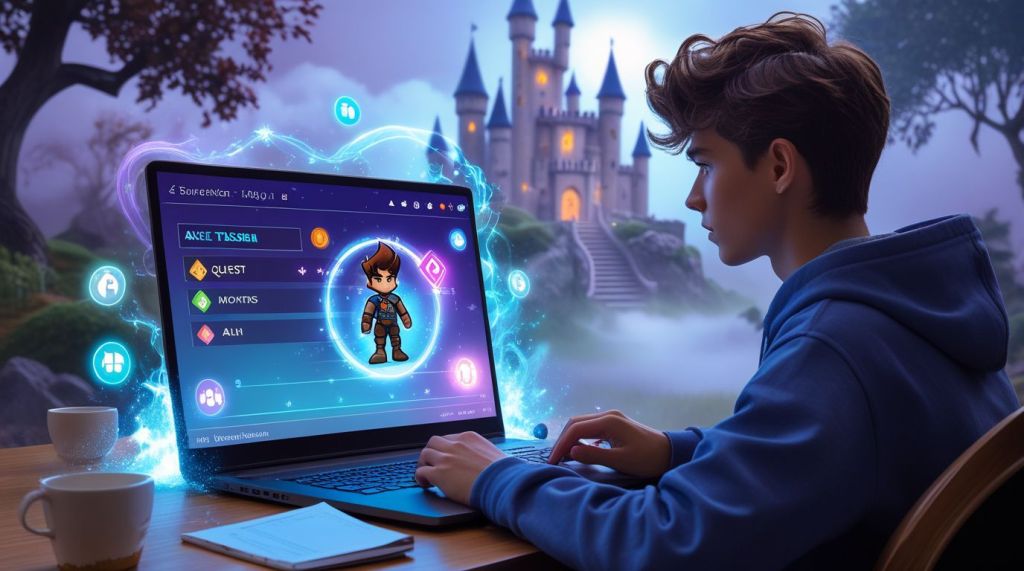
Let’s be honest: sometimes, everyday responsibilities feel boring. Paying bills, doing laundry, writing reports — these tasks rarely give us the same excitement as leveling up in our favorite video game. But what if life’s chores could feel more like a quest log than a to-do list?
That’s exactly the promise of productivity apps built with gamification. By turning daily routines into challenges, rewards, and storylines, these apps invite us to approach life as if it were an RPG. And for many people — especially gamers — it’s a game-changing way to stay motivated.
The Psychology Behind Gamified Productivity 🧠🎯
Gamification works because our brains are wired to respond to goals, progress, and rewards. Video games use this perfectly:
• 🎯 Clear objectives (missions, quests).
• 🔑 Rewards (items, points, achievements).
• 📈 Visible progress (levels, experience bars).
When apps bring these elements into everyday productivity, suddenly “cleaning the kitchen” can feel as satisfying as defeating a dungeon boss. It’s not about tricking ourselves — it’s about reframing tasks in a way that taps into natural motivation.
Popular Apps That Turn Tasks Into Quests
Here are a few of the most creative apps where productivity meets gaming:
1. Habitica 🐉
One of the pioneers of gamified productivity. You create a character, add your habits and daily tasks, and earn experience points when you complete them. Miss too many tasks? Your health bar drops. Even better, you can team up with friends and fight bosses together — but only if everyone keeps up with their to-dos.
2. EpicWin ⚔️
A fun RPG-style app where your to-do list becomes a series of quests. Each completed task earns you loot, items, and XP. It feels like merging a planner with a fantasy adventure.
3. Forest 🌱
Not a traditional RPG, but brilliant in its simplicity. When you want to focus, you plant a virtual tree. If you stay off your phone, the tree grows; if you give in to distractions, it withers. Over time, you build an entire forest of focused sessions.
4. Level Up Life 🌟
This app gamifies self-improvement. You earn achievements for real-life milestones, from learning new skills to practicing kindness. It’s like an RPG for personal growth.
Why Gamification Works Especially Well for Gamers 🎮💡
Gamers are already used to grinding, leveling, and achieving. The mental wiring is there: one more quest, one more reward, one more level. By framing real-life productivity in similar terms, apps bridge the gap between digital fun and real-world growth.
Instead of fighting dragons, you’re fighting procrastination. Instead of collecting loot, you’re collecting clean laundry, finished reports, or a healthier lifestyle. And surprisingly — it works.
Benefits of Using Gamified Productivity Apps
✅ Motivation boost. Tasks feel less like chores and more like challenges.
✅ Consistency. Daily streaks and progress bars encourage habit-building.
✅ Community. Many apps let you join groups, compete, or cooperate with others.
✅ Joy in small wins. Even ticking off simple tasks becomes rewarding.
But there are also pitfalls to watch out for. Some users end up spending more time tweaking avatars and stats than actually completing tasks. And just like in games, the novelty can wear off if there’s no deeper commitment.
Tips to Make the Most of Gamified Productivity Apps 🛠️
1. Start small. Add just a few tasks to avoid feeling overwhelmed.
2. Focus on what matters. Don’t gamify everything — pick habits or goals you truly care about.
3. Mix with offline rewards. Completed a tough task? Treat yourself in real life.
4. Keep the fun alive. Change avatars, explore groups, and celebrate milestones.
Beyond the Apps: Turning Life Into a Game 🎲🌍
Gamification doesn’t have to stop at the screen. You can design your own “life quests” — write them down like missions, assign XP, or even give yourself boss battles (like finishing that huge work project).
For example:
• 🗡️ “Slay the Paperwork Dragon” → Complete your tax forms.
• 🛡️ “Defend the Castle” → Clean your house for the weekend.
• 🌟 “Unlock the Achievement: Early Riser” → Wake up before 7 AM for a week.
This playful mindset can turn routine into adventure and bring creativity into even the dullest days.
Final Thoughts 🌈
Gamified productivity apps aren’t just a gimmick. For many people — especially those who grew up with video games — they’re a powerful tool to stay engaged and consistent. By reframing life’s responsibilities as quests, they make progress feel fun instead of draining.
So next time your to-do list looks intimidating, try looking at it as your quest log. Each checkbox is a victory, each completed task a step toward leveling up in real life.
After all, who said adulting can’t feel like an epic adventure? 🎮✨🌿 -
The Rise of Digital Minimalism Apps: Do They Really Help Us Disconnect? 📱🌿

We live in a world where our phones rarely leave our hands. Notifications pop up every few seconds, social media feeds never end, and even a quick glance at the screen often turns into an hour-long scroll. It’s no surprise that digital overload has become one of the defining struggles of modern life.
But as our relationship with technology grows more complicated, a new trend has emerged: digital minimalism apps. These apps promise to help us reduce screen time, block distractions, and focus on what truly matters. The irony? We’re turning to more technology to escape technology. So, do these tools actually work — or are they just another digital trap in disguise? Let’s dive deeper.
What Is Digital Minimalism? 🌱
Digital minimalism isn’t about rejecting technology completely. Instead, it’s about using tech intentionally, only when it serves a clear purpose. Think of it as decluttering your phone the way you’d declutter your home — removing the unnecessary, keeping the meaningful.
Popularized by author Cal Newport, the philosophy of digital minimalism has inspired a wave of people to rethink their online habits. And naturally, apps quickly followed to support (or capitalize on) this movement.
The Types of Digital Minimalism Apps
There isn’t just one kind of app in this category. In fact, digital minimalism apps come in several flavors, each targeting a different kind of distraction:
1. Screen Time Trackers ⏳
These apps log how much time you spend on each app, often with charts and weekly reports. Awareness is the first step — many users are shocked when they see their daily Instagram hours.
2. App Blockers 🚫
Tools like Freedom or AppBlock let you set limits or completely block access to specific apps during certain times of day. They’re like digital bouncers keeping you out of trouble.
3. Focus Timers ⏰
Based on the Pomodoro technique, these apps encourage you to work in focused sprints with short breaks. Forest, for example, “grows” a virtual tree whenever you stay focused.
4. Minimalist Launchers 🎨
Some apps (or custom launchers on Android) strip your phone’s home screen down to basics — no flashy icons, no endless notifications, just the essentials.
5. Mindfulness & Wellbeing Apps 🧘
While not always branded as “minimalist,” meditation and breathing apps also help create distance from constant digital noise.
The Benefits: Why People Swear by Them
Many users report genuine improvements:
• Reduced anxiety. Without constant pings and notifications, people feel calmer.
• More focus. Blocking apps during work hours helps fight procrastination.
• Better sleep. Less late-night scrolling means more rest.
• Reconnection with real life. Instead of mindless scrolling, people rediscover offline hobbies.
For some, these apps are the first step toward reclaiming balance and building healthier boundaries with technology.
The Criticism: Are We Just Adding Another Layer? 🤔
Here’s the paradox: to escape apps, we use… more apps. Critics argue that relying on digital minimalism apps is like buying books about decluttering without ever cleaning your house.
Some common concerns:
• Dependency. People may become dependent on the very apps designed to free them.
• Gamification distractions. Features like streaks, achievements, or animations can be addicting in their own right.
• False sense of progress. Tracking screen time feels like action, but doesn’t always lead to real change.
The truth is, these apps are tools — but they can’t do the hard work for us. The real challenge is changing habits and mindset.
How to Use Them Intentionally (Without Falling Into Another Trap)
So, how can you make digital minimalism apps work for you instead of against you?
1. Set a clear goal. Don’t just install the app. Decide: do you want to cut social media by half? Sleep earlier? Be more focused?
2. Choose minimal features. Pick apps that do one thing well instead of overwhelming you with dashboards and badges.
3. Use apps as training wheels. Over time, aim to rely less on them and more on self-discipline.
4. Combine with offline rituals. Replace scrolling with reading, walking, journaling, or simply resting.
The Future of Digital Minimalism
As AI and algorithms become more addictive, digital minimalism apps will likely keep evolving. We might soon see apps that not only track screen time but actively reshape our digital environment to support intentional living. Imagine a phone that automatically turns grayscale during late hours, or one that gently locks you out of social media until you’ve spent time offline.
But ultimately, the philosophy remains the same: technology should serve us, not control us.
Final Thoughts 🌟
Digital minimalism apps are neither magic cures nor complete gimmicks. They’re more like a mirror — showing us just how much of our life slips away to glowing screens. Whether that reflection inspires real change depends not on the app, but on us.
So the next time you unlock your phone, ask yourself: Am I using this because I need it — or just because it’s there?
If digital minimalism helps you reclaim even a small part of your time and attention, then yes — these apps can be worth it. Not because they’re perfect, but because they remind us of something simple: life is happening right now, outside the screen. 🌿✨ -
🎮 What Makes a Mobile Game Truly Addictive? The Hidden Psychology Behind Your Screen Time

Let’s be honest — you were just going to check your phone for a minute. And now it’s 40 minutes later, and you’re still dodging lasers, collecting sea crystals, or merging dragons. Sound familiar? 😅 You’re not alone.
Mobile games are no longer just casual time-fillers. They’ve evolved into captivating experiences designed to keep us hooked — sometimes for hours. But why do some games become so addictive, while others get deleted after five minutes?
In this article, we dive into the psychology of mobile gaming addiction — the mechanics, emotions, and design choices that make your brain whisper “just one more level…” 🧠📱
🎯 1. Instant Gratification: The Dopamine Hit
Mobile games are masters of reward systems. Whether it’s a satisfying “ping” when you finish a level or the fireworks when you open a loot box, these small but consistent dopamine triggers train your brain to crave more.
Game designers intentionally create short, achievable goals — and the faster we achieve them, the more likely we are to keep playing. It’s behavioral science in action.
🔁 2. Variable Rewards: The Casino Effect
Ever heard of variable reinforcement? It’s the same mechanism slot machines use — rewards that come randomly rather than predictably. Mobile games cleverly incorporate this too:
• Gacha systems 🎁
• Random loot boxes 📦
• Spinning wheels 🎡
This unpredictability keeps you engaged because your brain starts chasing the “what if.” That next spin or next drop might be something rare — and that’s hard to resist.
🕹️ 3. Easy to Start, Hard to Stop
The best mobile games are deceptively simple at first. You can start playing in seconds. No long tutorials, no complicated menus. Just tap and go. But as you progress, the complexity increases — so does your investment.
This is called progressive challenge:
• Level 1: “This is fun.”
• Level 10: “I’m getting good!”
• Level 20: “I can’t quit now.” 😬
A great example is Subnautica Mobile, where you start off just trying to survive — but soon you’re exploring underwater worlds, crafting advanced tools, and uncovering deeper mysteries. It’s immersive and rewarding, yet simple to get into. Here’s our full review if you’re curious. 🌊
⏳ 4. FOMO & Limited-Time Events
Another big hook? Fear of missing out.
Mobile games often feature:
• Daily login bonuses
• Limited-time challenges
• Seasonal events
Missing a day might mean losing a reward, a streak, or progress in an event. This creates psychological pressure: “I can’t miss today — just five minutes!”
That pressure turns gaming into a daily ritual, reinforcing habits and making it harder to stop.
🧑🤝🧑 5. Social Loops: Play With Me, Stay With Me
Many mobile games aren’t just solo journeys. They’re social ecosystems:
• Competing on leaderboards
• Joining guilds
• Sending lives or gifts
• Challenging friends
When others are involved, it adds a sense of responsibility, motivation — and competition. Social features are one reason why titles from this list of 2025’s top mobile games are dominating the charts right now. 🎯
💸 6. The “Sunk Cost” Trap
Here’s the tricky one: the more time, money, or energy you put into a game, the harder it is to walk away.
This is known as the sunk cost fallacy — a psychological tendency to continue something just because you’ve already invested in it. So even when a game starts to feel repetitive or frustrating, quitting can feel like losing everything you’ve built.
📱 7. Optimized for Micro-Moments
Mobile games are uniquely positioned for “in-between” moments:
• Waiting in line 🧾
• Riding public transport 🚃
• Avoiding awkward social situations 😅
Game designers know this. They make gameplay loop-friendly and screen-tap accessible, meaning we reach for them the same way we check emails or scroll Instagram.
That accessibility leads to frequency, and frequency leads to habit.
🧠 So… Is It Bad to Love Mobile Games?
Not necessarily! Mobile games can:
• Reduce stress
• Boost mood
• Improve problem-solving
• Create social bonds
But understanding why we get hooked helps us maintain a healthy balance between entertainment and well-being.
If you find yourself constantly glued to a game, it might be time to ask:
• Am I enjoying this — or escaping something?
• Does the game serve me — or am I serving the game?
Awareness is power. And now you’ve got it. 💡
📌 Final Thought:
Mobile gaming isn’t just a pastime — it’s a crafted psychological experience. And the more we understand how it works, the better we can enjoy it — without letting it take over. Game on, wisely. 🎮✨ -
Diving Deep into Subnautica Mobile: The Underwater Adventure That’s Making Waves in 2025! 🌊🐟

Hey gamers! 👋 If you’re anything like me, you’ve probably spent countless hours exploring alien oceans on your PC or console with Subnautica. But guess what? In July 2025, this survival masterpiece finally splashed onto mobile devices, and oh boy, it’s a game-changer! 😎 As a long-time fan who’s crashed-landed on Planet 4546B more times than I can count, I was skeptical at first—how could such an immersive world fit on my phone? Spoiler: It does, and it’s awesome. Let’s dive in (pun totally intended) and see why Subnautica Mobile is the hyped-up hit everyone’s talking about this August. Whether you’re a newbie or a veteran subnaut, this review’s got you covered. 🚀
What’s the Buzz About Subnautica Mobile? 🚀
Picture this: You’re stranded on an alien planet after your spaceship crashes. No map, no hand-holding—just you, a lifepod, and a vast, mysterious ocean full of wonders and terrors. That’s Subnautica in a nutshell, and the mobile port brings all that magic to your fingertips. Released on July 8, 2025, for both Android and iOS, it’s developed by Unknown Worlds and published with a sweet 10% launch discount until July 15 (grab it quick if you haven’t!).
Why the hype? Well, Subnautica’s been a cult classic since 2018, praised for its exploration, crafting, and that spine-tingling fear of the deep. Now, in 2025, with mobile tech catching up (think high-res screens and powerful chips like in the S25 Ultra or iPhone 16), it’s finally portable. No more being tied to your desk—play during commutes, lunch breaks, or late-night sessions under the covers. 🌙 Players on Reddit are raving about how smooth it runs, even calling it better than some emulator versions. If you’ve ever dreamed of building a seabase while waiting for the bus, this is your dream come true! 🚌
Gameplay: Survival, Exploration, and Heart-Pounding Thrills! ⚓
At its core, Subnautica Mobile is all about survival. You start with basics: scavenging for food, water, and resources to craft tools like the Scanner or Seaglide. As you progress, you’ll build habitats, vehicles (hello, Seamoth and Cyclops!), and uncover the planet’s secrets—why did your ship crash? What’s lurking in those biomes?
The mobile version keeps the essence intact but tweaks for touch controls. Swiping to swim feels natural, and the HUD is optimized for smaller screens. Combat? Minimal—it’s more about outsmarting creatures like the Reaper Leviathan (yikes! 😱) with clever tactics. Exploration is king: From sunlit coral reefs teeming with fish to dark, volcanic depths with glowing flora, every dive feels fresh.
One cool addition? Voice logs and story elements play seamlessly, drawing you into the lore. I remember my first playthrough on PC—heart racing as I ventured deeper. On mobile, it’s even more intimate, like the ocean’s right in your hands. Pro tip: Use headphones for that immersive audio—those creature roars will give you chills! 🎧
But is it watered down? Not really. Biomes might feel a tad smaller, and resource spawns are adjusted for shorter sessions, but the core loop is addictive. Sessions can last 10 minutes or hours—perfect for mobile life. If you’re into games like Minecraft or The Forest but with an underwater twist, you’ll be hooked. 🎣
Graphics, Performance, and Mobile Magic ✨
Visually, Subnautica Mobile is stunning! Powered by an optimized engine, it boasts vibrant colors, dynamic lighting, and detailed creatures that pop on high-end devices. On my Galaxy S25, it runs at 60FPS with barely any heat-up—insane for such a massive world! 🌟 iOS users report similar smoothness on iPhone 15 and up.
Of course, it’s not perfect. Lower-end phones might need medium settings to avoid lag, and draw distance is reduced to prevent crashes (no falling through the world like in older ports!). Battery drain? About 20-30% per hour on max—pack a charger for long dives. Compared to the PC original, it’s a faithful adaptation, minus some ultra-high-res textures. But hey, portability wins! 🚀
Player feedback echoes this: App Store reviews average 4.8/5, with folks loving the “hypnotically beautiful” environments. One Reddit user said it “runs better than expected, no blurry mess here!” If graphics matter to you, crank ’em up and prepare to be wowed. 😍
Tips for New (and Returning) Players: Survive Like a Pro! 🛡️
Jumping in? Here’s some friendly advice from a seasoned explorer:
• Start Small: Focus on basics—build a habitat early to store gear and farm food. Acid Mushrooms are lifesavers! 🍄
• Scan Everything: The Scanner is your best friend. It unlocks blueprints and reveals secrets.
• Fear the Deep?: Use beacons to mark safe spots. And avoid the Aurora wreck at night—trust me. 🌑
• Battery Management: Craft extras; nothing worse than a dead Seaglide mid-escape!
• Creative Mode Fun: If survival’s too intense, switch to Creative for pure exploration. No hunger, no worries! 🎨
Oh, and join the Subnautica Reddit community—they’re super helpful with tips and memes. What’s your scariest encounter? Share in the comments! 👇
Pros and Cons: The Good, the Bad, and the Bubbly 🫧
Let’s break it down:
Pros:
• Immersive world-building that’s addictive AF. 🌍
• Smooth touch controls and performance on modern devices. 📱
• Portable freedom—play anywhere, anytime! ✈️
• Engaging story with replay value (multiple endings!).
• No ads or microtransactions—just pure gameplay. 💰🚫
Cons:
• Steep learning curve for newbies (no tutorials, embrace the mystery!).
• Battery hog during long sessions. 🔋
• Slightly reduced scale compared to PC (smaller biomes, fewer resources).
• Touch controls can feel fiddly in intense moments—pair a controller if possible. 🎮
• Occasional bugs, like clipping, but patches are rolling out fast.
Overall, it’s a solid 9/10 for me. The pros far outweigh the cons, especially for fans craving that ocean vibe on the go.
Final Thoughts: Why You Need to Play Subnautica Mobile Right Now! 🔥
Subnautica Mobile isn’t just a port—it’s a fresh wave in 2025’s mobile gaming scene, proving AAA experiences can thrive on phones. Whether you’re chilling on the couch or out adventuring IRL, it captures that sense of wonder and peril perfectly. 😌 If you’ve been waiting for a deep (heh) survival game that doesn’t feel gimmicky, download it today from Google Play or the App Store. Priced at around $9.99 (with that discount!), it’s a steal.
What are you waiting for? Dive in and let the ocean consume you—in the best way possible! 🌊 If you love it (or hate it), drop your thoughts below. Happy exploring, fellow subnauts! 🚀🐙 -
Top Mobile Games Everyone’s Obsessed With – From Kids to Adults!
Mobile gaming has transformed from a casual pastime into a global phenomenon. Millions of people, from young children to adults, pick up their smartphones daily to dive into captivating worlds, solve puzzles, or engage in fast-paced battles. Whether you’re a hardcore gamer or just looking for a fun way to pass time, mobile games offer something for everyone. Here’s a look at the most popular mobile games, who plays them, and what makes them so addictive
1. Roblox
Roblox isn’t just a game; it’s an entire universe of games. Players can create their own worlds or jump into countless adventures made by others. Its appeal spans all ages, but it’s particularly popular among children and teenagers. The platform encourages creativity, social interaction, and endless replayability, making it a must-have on any mobile device.
2. Candy Crush Saga
Candy Crush Saga has remained a staple of mobile gaming thanks to its simple yet addictive match-three puzzles. Its audience is surprisingly broad, attracting casual gamers of all ages, especially adults looking for a relaxing yet challenging game. Frequent updates, seasonal events, and competitive leaderboards keep players engaged for years.
3. Call of Duty: Warzone Mobile
For fans of first-person shooters, Call of Duty: Warzone Mobile brings the console experience to your phone. It offers fast-paced battle royale matches, team-based objectives, and impressive graphics for a mobile device. Teens and young adults make up the core audience, with cross-platform play making it easy to compete with friends.
4. Free Fire
Free Fire is a dynamic battle royale game designed specifically for mobile users. Its short, action-packed matches make it perfect for on-the-go gaming. The game appeals mostly to teenagers and young adults, thanks to its variety of characters, skins, and frequent in-game events that keep the experience fresh.
5. Monopoly Go!
This modern take on the classic board game makes Monopoly fast, fun, and highly mobile-friendly. It’s accessible for all ages, from kids enjoying the colorful interface to adults appreciating the strategic gameplay. Quick matches and digital enhancements keep players engaged without the need for a physical board.
6. Honkai: Star Rail
Honkai: Star Rail is a turn-based RPG with breathtaking visuals and an immersive storyline. Players navigate through an intricate narrative while managing their characters in tactical combat. The game attracts teens and young adults who enjoy story-driven experiences and strategic gameplay.
7. State of Survival
In State of Survival, players manage resources, build bases, and survive a world overrun by zombies. This strategy game appeals primarily to adults who enjoy long-term planning, competitive alliances, and real-time battles. Its mix of survival and strategic mechanics makes it compelling for hardcore mobile gamers.
8. Pokémon GO
Pokémon GO brought augmented reality to the mainstream, encouraging players to explore the real world while capturing virtual creatures. Its audience ranges from kids to adults, with community events and collaborative challenges keeping the gameplay engaging and socially interactive.
9. Among Us
Among Us is a social deduction game that took the world by storm. Its simplicity, combined with hilarious multiplayer interactions, makes it appealing to both teens and adults. Whether playing with friends or strangers, its blend of teamwork and deception keeps players coming back.
10. Clash Royale
Clash Royale mixes strategy, card collecting, and competitive battles into a mobile-friendly package. Players of all ages enjoy its fast-paced duels and deep strategic elements. The game’s consistent updates, events, and tournaments ensure a loyal and growing community.
Audience Insights
• Children: Roblox, Pokémon GO – interactive, creative, and social gameplay.
• Teenagers: Free Fire, Call of Duty: Warzone Mobile, Among Us – action-packed, competitive, and social.
• Adults: Candy Crush Saga, State of Survival, Monopoly Go! – strategy, relaxation, and casual play.
Mobile gaming continues to evolve, with innovations in graphics, storytelling, and multiplayer features. From casual puzzle games to complex strategy and action-packed shooters, there is a game for everyone. Whether you’re killing a few minutes on the commute or diving into hours of immersive gameplay, mobile games have firmly cemented their place as a favorite pastime for all ages. -
How to Organize Your Day Like a Pro: Practical Tips Using Modern Gadgets, Apps, and AI Tools

In today’s fast-paced world, time feels like our scarcest resource. The difference between a chaotic day and a productive one often comes down to how well you plan, prioritize, and execute your tasks. Luckily, modern gadgets, mobile apps, and AI-powered tools can help you transform your daily routine into a smooth, efficient workflow.
Whether you’re a student, an entrepreneur, or simply someone who wants to get more out of each day, this guide will walk you through practical strategies — and the right tech — to keep you focused and in control.
1. Start With a Clear Digital Planner
The foundation of productivity is knowing exactly what you need to do and when to do it. While paper planners are still popular, digital planners offer more flexibility — they sync across devices, send reminders, and integrate with other tools.
Choose an app that allows you to:
• Create and reorder tasks easily.
• Set recurring events.
• Integrate with your calendar and email.
If you want to supercharge this setup, explore AI-powered productivity apps that can automatically organize your schedule, suggest optimal task sequences, and even adjust plans when unexpected changes occur. (For more ideas, see our guide to 10 AI-Powered Mobile Apps That Will Transform Your Productivity Overnight)
2. Let AI Assistants Do the Heavy Lifting
Sometimes, productivity isn’t about doing more yourself — it’s about letting technology handle the small stuff. AI-powered personal assistants on your phone can:
• Remind you of deadlines.
• Send messages on your behalf.
• Take notes during meetings.
• Manage your to-do list by voice command.
These assistants are becoming smarter, learning your preferences, and proactively offering help before you even ask. If you’re curious about how they’re shaping the future of mobile productivity, check out our deep dive into the rise of AI-powered personal assistants in mobile apps.
3. Sync Everything With Wearable Tech
Your phone isn’t the only productivity hub — wearable devices like smartwatches and fitness trackers can keep you on track without constantly checking your screen.
• Smartwatches: Get calendar alerts, reply to messages, and start timers without pulling out your phone.
• Fitness trackers: Monitor your activity and remind you to move, which keeps your energy levels high throughout the day.
• Wireless earbuds: Use voice commands on the go and listen to productivity podcasts while commuting.
Pro tip: Set up “focus mode” on your watch or phone so you only get essential notifications during deep work sessions.
4. Build Time Blocks for Focus
All the technology in the world won’t help if you don’t guard your time. Try time blocking — dedicating specific chunks of your day to certain activities.
Here’s a sample tech-assisted workflow:
1. Morning (8–10 AM) — Deep work session with phone in “Do Not Disturb” mode, using a Pomodoro timer app.
2. Late morning (10–12) — Quick check-in with your AI assistant for updates on meetings or deadlines.
3. Afternoon (1–3 PM) — Collaborative work, using cloud tools synced across devices.
4. End of day (4–5 PM) — Task review and planning for tomorrow in your digital planner.
5. Automate the Mundane
Modern apps can connect via automation platforms like IFTTT or Zapier to handle repetitive tasks:
• Save email attachments directly to cloud storage.
• Get a daily agenda message every morning.
• Log completed tasks automatically.
Automation removes mental clutter, leaving you more brainpower for creative and strategic work.
6. Keep It All Backed Up and Secure
A well-organized day can still collapse if you lose data or face a tech failure.
• Use automatic cloud backups for notes, tasks, and documents.
• Enable two-factor authentication on all productivity apps.
• Keep your devices updated for security and performance.
Final Thoughts
Productivity isn’t about doing more — it’s about doing what matters most in the smartest way possible. By combining AI-powered apps, personal assistants, wearable gadgets, and time management techniques, you can design a day that flows seamlessly from start to finish.
Start small: pick one tool or strategy from this list, master it, then layer on the next. Over time, you’ll create a system that’s uniquely tailored to your lifestyle — and powered by the best of modern technology. -
10 AI-Powered Mobile Apps That Will Transform Your Productivity Overnight 🚀

In today’s fast-paced world, productivity is no longer just about working harder — it’s about working smarter. Thanks to artificial intelligence, your smartphone can now act as a personal assistant, project manager, and even a creative partner. Whether you’re a freelancer juggling multiple clients, a student balancing deadlines, or an entrepreneur trying to grow your business, AI-powered mobile apps can help you stay organized, save time, and get more done.
Here’s a handpicked list of 10 AI-driven apps that can transform the way you work — starting tomorrow morning.
1. Notion AI – Your All-in-One Digital Brain 🧠
Notion was already a favorite for note-taking and project management, but the AI upgrade takes it to another level. You can:
• Generate meeting notes instantly
• Summarize long documents in seconds
• Brainstorm ideas without staring at a blank page
It’s perfect for creatives, managers, and anyone who needs a versatile workspace.
2. Grammarly – Write Like a Pro ✍️
Grammarly’s AI not only fixes grammar mistakes but also improves tone, clarity, and conciseness. The mobile keyboard integration means you can send flawless emails, messages, and social posts directly from your phone.
3. Otter.ai – Never Miss a Word 🎙️
Taking notes during meetings? Otter.ai listens, transcribes, and organizes your conversations in real-time. It can even highlight key points and create summaries, making it a lifesaver for busy professionals and students.
4. Todoist with AI Assistant – Smarter Task Management ✅
Todoist recently added AI features that suggest task priorities, help you break big goals into smaller steps, and adjust your to-do list based on changing deadlines.
5. Reclaim.ai – Schedule Like a Boss 🗓️
This app uses AI to automatically find time in your calendar for deep work, breaks, and personal tasks — without you manually moving things around. It even reschedules tasks when emergencies pop up.
6. ChatGPT Mobile App – Your On-Demand Problem Solver 💡
Need ideas for a presentation? Want a quick summary of a long article? Looking for travel recommendations? With ChatGPT in your pocket, you have an always-available brainstorming partner.
7. FocalFilter AI – Stay Focused Without Willpower 🔒
Distractions kill productivity. FocalFilter uses AI to predict when you’re most likely to lose focus and blocks distracting apps or websites during those moments.
8. Jasper AI (Mobile) – Create Content in Minutes ✨
For marketers, bloggers, and social media managers, Jasper can draft ad copy, blog intros, and captions in seconds. No more writer’s block!
9. Google Lens with AI Search – Turn Your Camera Into a Productivity Tool 📸
Translate signs instantly, extract text from images, or identify objects for research. Google Lens is like having a visual assistant in your pocket.
10. Sleep Cycle with AI Insights – Rest Smarter 😴
Productivity isn’t just about what you do when you’re awake. Sleep Cycle analyzes your sleeping patterns and wakes you up at the optimal moment, so you start the day with maximum energy.
Pro Tips for Making the Most of AI Apps
1. Don’t install them all at once – Start with 2–3 that solve your biggest challenges.
2. Integrate with your current workflow – Connect apps with your calendar, email, and cloud storage for seamless use.
3. Review and adjust weekly – AI improves over time, but only if you keep tweaking settings and giving feedback.
Final Thoughts 🌟
Artificial intelligence isn’t here to replace you — it’s here to **empower** you. By combining your skills with the capabilities of these mobile apps, you can free up mental space for creativity, focus on high-impact tasks, and still have time for the things you love.
So why wait? Download one or two of these AI-powered tools today, and by tomorrow, you might just find yourself getting more done than ever before.
If you found this guide useful, bookmark it and share it with a friend who’s ready to level up their productivity. Your future self will thank you! 🙌 -
Beyond Music: Exploring the Rise of AI-Powered Personal Assistants in Mobile Apps

In the fast-evolving world of mobile technology, apps have become an essential part of our daily lives. From entertainment to productivity, mobile applications continue to transform how we interact with the digital world. One of the most exciting advancements in recent years is the integration of Artificial Intelligence (AI), particularly in the form of AI-powered personal assistants within mobile apps.
While many associate AI assistants with popular names like Siri, Alexa, or Google Assistant, the scope of AI in mobile apps goes far beyond voice commands and simple tasks. Today, AI-driven personal assistants are becoming smarter, more intuitive, and increasingly embedded in various apps—offering personalized experiences that revolutionize user interaction. Let’s dive into how AI-powered personal assistants are reshaping mobile apps beyond the realm of music.
What Exactly Are AI-Powered Personal Assistants? 🤔
AI-powered personal assistants are software agents that use artificial intelligence to perform tasks, provide recommendations, and interact with users in a natural, conversational way. Unlike traditional apps that require manual inputs, AI assistants learn from user behavior, preferences, and contextual data to deliver personalized and proactive assistance.
Key capabilities include:
• Natural Language Processing (NLP): Understanding and responding to human language naturally.
• Machine Learning (ML): Continuously improving based on user data and interactions.
• Context Awareness: Adapting responses based on time, location, and user habits.
These features enable AI assistants to do more than just follow commands—they anticipate needs and act proactively.
AI Assistants: From Music Players to Everyday Life Enhancers 🎶➡️🏠
While music streaming apps like TinyTunes often feature AI to recommend songs based on listening habits, AI assistants today power a diverse range of mobile apps that help users in many aspects of life:
1. Productivity and Time Management ⏰
Apps like Microsoft’s Cortana or Google Assistant can schedule meetings, set reminders, and manage to-do lists with voice commands. Newer AI assistants are integrated within project management tools to analyze workload, suggest priorities, and even predict delays.
2. Health and Wellness 🏃♀️🍏
AI assistants in fitness and health apps track users’ activity, provide personalized workout plans, and offer real-time coaching. Apps like Fitbit or MyFitnessPal incorporate AI to analyze user data and suggest diet plans or exercise routines tailored to individual goals.
3. Shopping and Finance 🛒💳
Personal finance apps use AI assistants to monitor spending habits, suggest budgeting strategies, and even predict future expenses. E-commerce apps leverage AI to recommend products based on browsing history and preferences, making shopping more intuitive and personalized.
4. Travel and Navigation 🌍✈️
AI assistants help plan trips, find optimal routes, and offer real-time updates on traffic or flight changes. Apps like Google Maps have evolved from simple navigation tools to proactive travel companions that suggest stops, restaurants, and attractions based on user interests.
How AI Enhances User Experience in Mobile Apps ✨
Personalization Like Never Before
AI personalizes app content to fit each user uniquely. For example, instead of generic notifications, AI can send reminders at optimal times or suggest content aligned with a user’s mood or routine.
Increased Efficiency and Convenience
Tasks that once required multiple steps can now be completed through simple voice commands or automated processes. This efficiency saves time and reduces cognitive load, making apps more accessible and enjoyable.Continuous Learning and Adaptation
AI assistants evolve by learning from ongoing interactions. The more you use them, the better they understand your preferences and habits, leading to smarter suggestions and improved functionality over time.
Challenges and Considerations ⚠️
Despite the many benefits, the rise of AI-powered personal assistants in mobile apps also brings challenges:
• Privacy Concerns: Collecting and processing personal data raises important questions about user consent and data security. Developers must ensure transparency and robust protection measures.
• Dependency Risks: Overreliance on AI can lead to reduced human problem-solving skills or privacy complacency. Balance is key.
• Bias in AI: AI systems trained on biased data can perpetuate stereotypes or provide unfair recommendations, highlighting the need for ethical AI design.
What’s Next? The Future of AI Personal Assistants in Mobile Apps 🚀
The future looks promising. Emerging technologies like Natural Language Generation (NLG), emotion recognition, and multimodal interactions (combining voice, gesture, and facial recognition) will make AI assistants even more intuitive and human-like.
Imagine an assistant that not only understands your words but also senses your mood and adapts accordingly, making mobile apps feel less like tools and more like companions.
Conclusion 💡
AI-powered personal assistants are no longer just futuristic concepts; they are here, integrated into many mobile apps transforming everyday life. From managing tasks and health to enhancing entertainment and shopping experiences, AI is creating smarter, more personalized, and efficient apps that truly understand users.
As AI continues to evolve, the possibilities for mobile apps are endless. Embracing these technologies today means stepping into a future where our digital assistants become indispensable partners in our daily lives.
Thank you for reading! If you enjoyed this article, feel free to share your thoughts or questions in the comments below. Let’s explore the future of AI together! 🤖💬 -
The Future of Storytelling: How AI Will Shape Short-Form Mobile Content 🤖📱
Storytelling has always evolved with technology — from printed books to cinema, from television to streaming platforms. But in the age of smartphones, we are witnessing a new chapter: short-form, mobile-first storytelling designed for the vertical screen. And now, with the rise of artificial intelligence, these bite-sized narratives are about to transform again.
From Static Stories to Interactive Worlds
Short-form mobile content — from 60-second dramas to episodic micro-series — has already captivated Gen Z audiences. Platforms offering vertical fiction apps make it possible to experience a complete emotional arc in just a few swipes (discover how these apps hook Gen Z here).
AI is set to take this engagement further. Instead of passively consuming pre-made episodes, viewers could soon influence the plot in real time. Imagine:
• AI-driven branching storylines that adapt to your choices.
• Characters that “remember” your past decisions and respond differently next time.
• Episodes that evolve based on your personal preferences and emotional reactions.
Hyper-Personalization — and the Data Behind It
One of AI’s biggest strengths is personalization. Algorithms can learn what kind of plot twists, characters, or pacing keeps a viewer engaged. But personalization comes with a price: data.
The more personalized the story, the more information the app needs about you — your viewing habits, location, even biometric data like facial expressions. And that raises the same privacy concerns that new social platforms have been criticized for (read about the privacy risks here).
Creators and platforms will need to strike a balance between personalization and respecting user privacy — a challenge that will define the next generation of mobile storytelling.
AI as a Creative Partner
AI isn’t just a tool for recommendation algorithms — it’s becoming a co-creator. Scriptwriters can already use AI to:
• Generate dialogue in specific tones or dialects.
• Rapidly test different versions of the same scene.
• Create entire secondary plotlines on the fly.
This means future mobile dramas could be updated weekly or even daily, adapting to cultural trends, news events, or fan theories in almost real time. The line between “live” and “pre-recorded” storytelling will blur.
Challenges Ahead
While the future is exciting, there are hurdles:
• Ethical storytelling: How much should an AI influence emotions or moral choices?
• Over-reliance on algorithms: Will AI-driven stories lose the depth of human creativity?
• Platform monopolies: A few big players controlling AI-powered storytelling could limit diversity in voices and perspectives.
A New Era of Stories
We are entering an era where your favorite character might not just speak to you — they might be speaking because of you. Your reactions, preferences, and even your silence could shape the plot.
But as with any powerful technology, this transformation comes with responsibility. AI has the potential to make storytelling more immersive and personal than ever before — but only if we ensure that the data fueling it is handled ethically and securely.
💡 Final thought: AI isn’t replacing storytellers — it’s expanding the canvas they can work on. The future of short-form mobile content will be as much about algorithms as it is about artistry, and the most successful platforms will be those that can merge the two seamlessly.

 Tinytunes.app